Lesson 04 — Your First Prompt | 写出第一个提示词
Learn to write your first effective AI prompt with step-by-step guidance, practical examples, and interactive exercises. 通过循序渐进的讲解与实际练习,学会编写清晰、具体的 AI 提示词,并改善 ChatGPT 的回答质量。
JiZhao AI Academy | 吉兆人工智能学院
Level / 难度: Beginner 初学者
Learning Time / 学习时间: 8–10 minutes
1. Your First Prompt / 你的第一个提示词
A prompt is the message you send to an AI assistant to ask a question or request a task.
提示词(Prompt)就是你向 AI 助手发送的问题、要求或指令。
You do not need programming skills to write a prompt. You can simply use everyday language.
编写提示词不需要懂编程。你可以直接使用日常语言与 ChatGPT 交流。
Example / 示例
请向我介绍加拿大的四季。
This is already a valid prompt!
这已经是一个可以使用的提示词!
2. From Simple to Specific / 从简单到具体
Compare these two prompts.
比较下面两个提示词。
Prompt A — Simple / 简单提示词
请帮我写一封英文邮件。
Prompt B — Improved / 改进后的提示词
请帮我写一封简短、礼貌的英文邮件,邀请我的朋友周六下午到家里喝咖啡。语气自然、友好,控制在100个英文单词以内。
Prompt B explains the purpose, audience, tone, and length.
提示词 B 明确说明了目的、对象、语气和长度,因此 AI 更容易提供符合需要的结果。
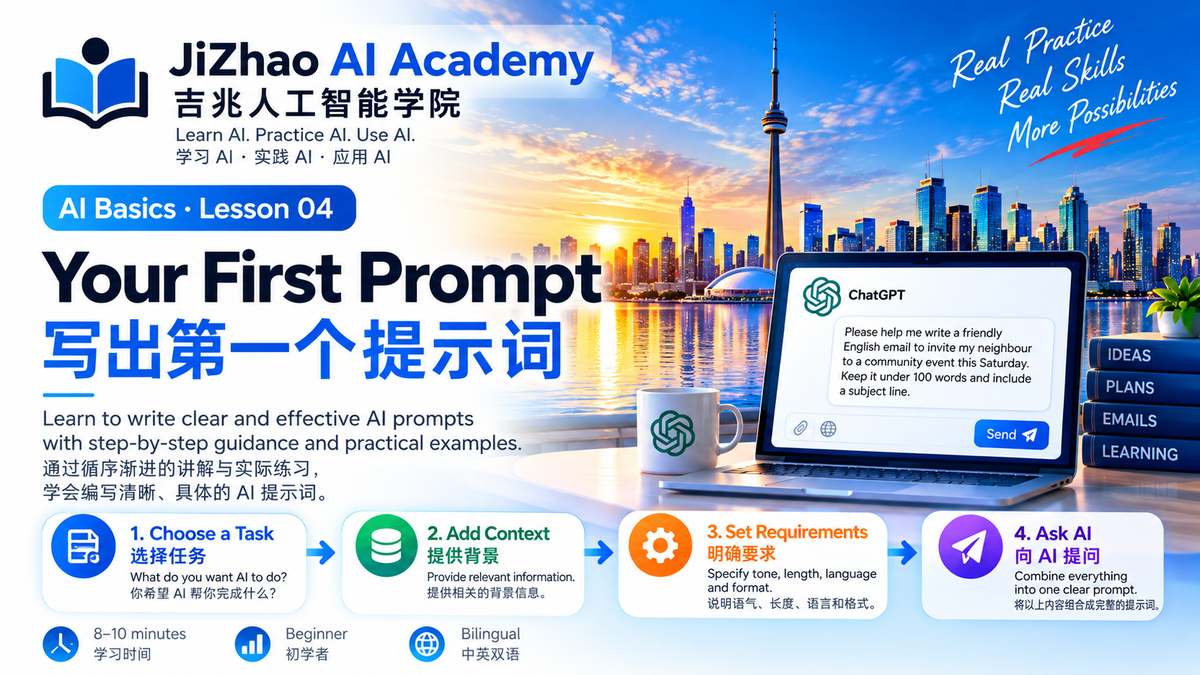
3. Build Your First Prompt / 编写你的第一个提示词
Follow these four steps.
按照下面四个步骤操作。
Step 1 — Choose a Task / 选择任务
What do you want AI to do?
你希望 AI 帮你完成什么?
Example: Write an email.
例如:写一封邮件。
Step 2 — Add Context / 提供背景
Who is the email for? What is the situation?
邮件写给谁?有什么背景?
Example: Invite a neighbour to a community event.
例如:邀请邻居参加社区活动。
Step 3 — Specify Your Requirements / 说明要求
What tone, language, or length do you want?
你希望使用什么语气、语言和篇幅?
Example: Friendly English, under 100 words.
例如:友好的英文,不超过100词。
Step 4 — Ask AI / 向 AI 提问
Combine everything into one prompt.
将上述要求组合成完整提示词:
请帮我写一封友好的英文邮件,邀请邻居参加本周六的社区活动。邮件不超过100个英文单词,并包含邮件主题。
4. Practice Lab / 动手练习
Exercise 1 — Everyday Life / 日常生活
Copy this prompt into ChatGPT:
请为我制定一个简单的周末家庭活动计划,地点在加拿大密西沙加市,适合成年人参加,预算不超过100加元。请用表格列出活动、时间和预计费用。
Exercise 2 — Workplace / 工作应用
请作为一名专业行政助理,帮我写一封英文邮件,提醒客户明天下午3点参加线上会议。邮件语气礼貌、简洁,并包含主题。
Exercise 3 — Learning / 学习应用
请作为我的英语老师,每天教我5个常用英文表达。每个表达提供中文解释和一个生活例句。先开始第一组。
5. Interactive Prompt Builder / 提示词组合练习
Use this template to create your own prompt.
使用下面的模板编写自己的提示词。
Prompt Template / 提示词模板
请作为一名【角色】,帮助我完成【任务】。
背景信息:【相关背景】。
具体要求:【语气、长度、语言、重点】。
输出格式:【表格、列表、邮件或段落】。
Example / 示例
请作为一名社区活动策划顾问,帮助我制定一个人工智能入门讲座计划。
背景信息:参加者主要是没有 AI 使用经验的成年人。
具体要求:讲座时间60分钟,内容简单实用,包含现场练习。
输出格式:请用表格列出时间、主题、活动内容和教学目标。
6. Improve Your Result / 改进 AI 回答
Your first answer does not need to be perfect.
AI 的第一次回答不一定完全符合要求。
You can continue the conversation.
你可以继续提出修改要求。
Try these follow-up prompts:
- 请把回答改得更简单。
- 请增加三个实际例子。
- 请改成中英文对照。
- 请用表格整理。
- 请一步一步指导我完成。
This process is called iteration.
这种通过连续交流改进结果的方法称为迭代(Iteration)。
7. Common Mistakes / 常见错误
Mistake 1 — Too vague / 要求太模糊
Try to explain your actual goal.
尽量说明真正想完成的任务。
Mistake 2 — No context / 缺少背景
Provide relevant information.
提供必要的背景信息。
Mistake 3 — No follow-up / 不继续追问
Ask AI to improve its response.
通过进一步提问完善回答。
Mistake 4 — Sharing sensitive information / 输入敏感信息
Avoid sharing passwords, financial account details, or confidential client information unnecessarily.
不要随意输入密码、金融账户信息或客户机密资料。
8. Quick Review / 学习回顾
After this lesson, you should be able to:
完成本课后,你应该能够:
- Write a simple AI prompt / 编写简单提示词
- Add useful context / 补充背景信息
- Specify output requirements / 明确输出要求
- Improve responses through follow-up questions / 通过追问改善结果
9. Ask AI / 向 AI 提问
Try this prompt:
请作为 JiZhao AI Academy 的 AI 提示词老师,帮助我练习编写 Prompt。请先给我一道简单的实际练习题,等待我提交提示词后,从清晰度、背景信息和输出要求三个方面给我反馈,然后指导我修改。
Previous Lesson / 上一课
Lesson 03 — How to Talk to AI
第三课:怎样向 AI 提问?
Back to AI Academy / 返回学院首页
JiZhao AI Academy — View All Lessons
Next Lesson / 下一课
Lesson 05 — Improve Your Prompt
第五课:怎样改进提示词?
JiZhao AI Academy
Learn AI. Practice AI. Use AI.
Empowering People. Connecting Communities.