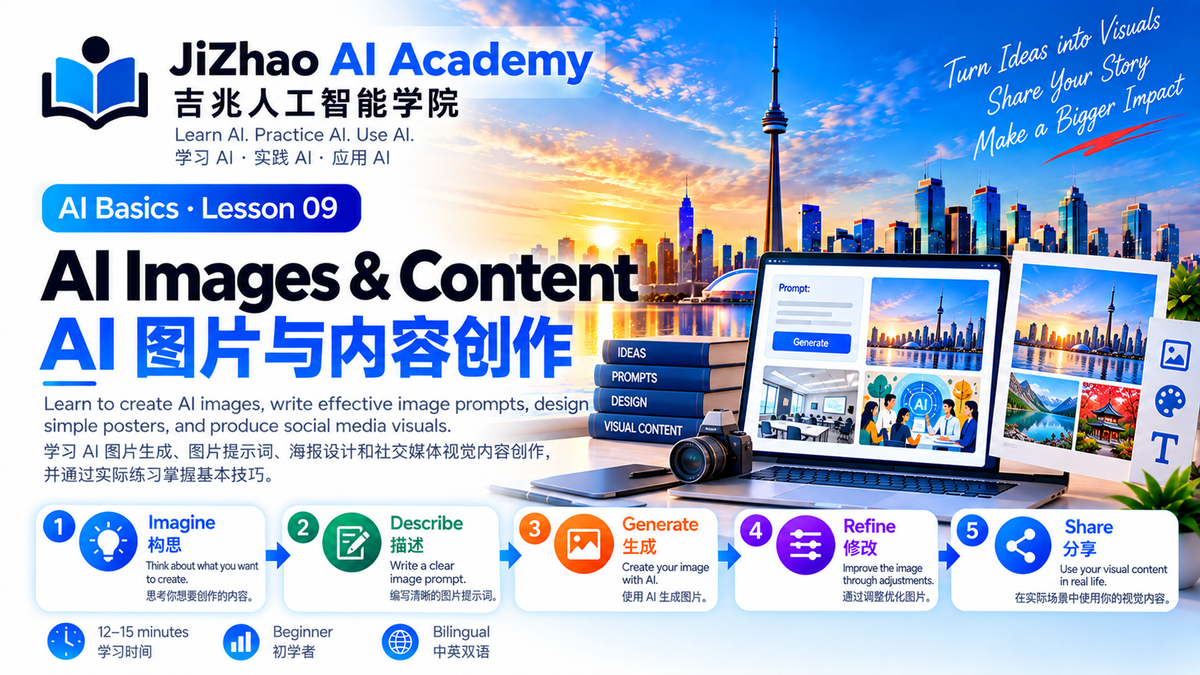
Lesson 09 — AI Images & Content | AI 图片与内容创作
Learn to create AI images, write effective image prompts, design simple posters, and produce social media visuals. 学习 AI 图片生成、图片提示词、海报设计和社交媒体视觉内容创作,并通过实际练习掌握基本技巧。
JiZhao AI Academy | 吉兆人工智能学院
Level / 难度: Beginner 初学者
Learning Time / 学习时间: 12–15 minutes
1. What Is AI Image Generation? / 什么是 AI 图片生成?
AI image generation uses artificial intelligence to create images from written descriptions, commonly called prompts.
AI 图片生成是指利用人工智能,根据文字描述(Prompt)创作图片。
You describe what you want to see, and an AI image tool generates a visual result.
你只需要描述希望看到的画面,AI 图片工具就可以根据要求生成图像。
AI can help create illustrations, posters, social media graphics, and educational visuals.
AI 可以辅助制作插画、海报、社交媒体图片和教学视觉素材。
2. What Can You Create? / AI 可以创作什么?
Illustrations / 插画
Create images for articles, presentations, and educational materials.
为文章、演示文稿和教学材料制作插图。
Posters / 宣传海报
Design visual concepts for concerts, workshops, and community events.
为音乐会、讲座和社区活动设计宣传海报。
Social Media Graphics / 社交媒体图片
Create visual content for Facebook, Instagram, and other platforms.
为 Facebook、Instagram 等平台制作视觉内容。
Business Graphics / 商业宣传图片
Create promotional visuals for small businesses.
为小型企业制作宣传图片。
Educational Diagrams / 教学示意图
Illustrate concepts and learning processes.
通过图片帮助解释知识和学习流程。
3. How to Write an Image Prompt / 怎样编写图片提示词?
A useful image prompt usually includes five elements.
一个实用的图片提示词通常包含五个要素。
1. Subject / 主体
What should appear in the image?
图片中应该出现什么?
Example: A laptop on a desk.
例如:桌面上的一台笔记本电脑。
2. Setting / 场景
Where does the scene take place?
画面发生在什么环境?
Example: A modern classroom in Toronto.
例如:多伦多的一间现代教室。
3. Style / 风格
What visual style do you want?
希望采用什么视觉风格?
Example: Clean, professional, modern.
例如:简洁、专业、现代。
4. Colours / 色彩
What colours should dominate?
主要使用什么颜色?
Example: Blue and white.
例如:蓝色和白色。
5. Format / 图片比例
What shape or size do you need?
需要什么比例或尺寸?
Example: A 16:9 landscape banner.
例如:16:9 横版图片。
4. Your First AI Image Prompt / 第一个 AI 图片提示词
Simple Prompt / 简单提示词
请生成一张人工智能教育图片。
Improved Prompt / 改进后的提示词
请生成一张现代人工智能教育主题图片。
画面主体是一台打开的笔记本电脑,屏幕上显示抽象 AI 对话界面。
背景为加拿大多伦多城市天际线,包含 CN Tower。
整体风格简洁、专业、富有科技感。
主要颜色为蓝色和白色。
图片比例为16:9横版,适合 AI 教育网站使用。
不要添加文字。
The improved prompt gives AI clearer visual instructions.
改进后的提示词包含主体、场景、风格、色彩和比例,因此更容易得到符合要求的图片。
5. AI Poster Design / AI 海报设计
AI can help create visual concepts for events.
AI 可以帮助设计活动宣传海报。
Practice Prompt / 练习提示词
请为一场社区人工智能入门讲座设计一张现代风格的宣传海报。
主题:Learn AI Together / 一起学习人工智能
地点:Mississauga, Ontario
对象:AI 初学者
设计要求:
- 蓝白科技风格
- 友好、现代、清晰
- 使用电脑、AI 对话和学习元素
- 竖版海报比例
- 为活动日期、地点和报名信息预留空白区域
- 不要编造具体日期、地址或联系方式
Design Tip / 设计建议
AI-generated text in images may contain spelling errors or layout problems.
AI 生成图片中的文字可能出现拼写错误或排版问题。
For important posters, consider adding final text in a design editor and carefully checking the result.
对于正式宣传海报,可以使用设计软件添加最终文字,并仔细检查排版。
6. Improve an AI Image / 修改 AI 图片
You can refine an image through follow-up instructions.
你可以通过进一步提出要求,逐步修改图片。
Useful Image Editing Prompts / 实用修改指令
- 请把背景改成深蓝色。
- 请让标题区域更加简洁。
- 请把图片调整成16:9横版。
- 请增加画面的明亮度。
- 请去掉右侧多余的物品。
- 请保持原有构图,只修改背景颜色。
Not every image tool supports editing an existing image. Check the tool's capabilities.
并非所有 AI 图片工具都支持直接修改已有图片,需要根据具体工具的功能操作。
7. AI for Social Media / AI 社交媒体视觉内容
Different platforms may require different image sizes.
不同社交媒体平台可能需要不同尺寸的图片。
Common Formats / 常见比例
| Format | Typical Use |
|---|---|
| 1:1 Square / 正方形 | 社交媒体帖子 |
| 4:5 Portrait / 竖版 | 社交媒体信息流 |
| 9:16 Vertical / 竖屏 | Stories、Reels、短视频封面 |
| 16:9 Landscape / 横版 | 网站横幅、演示封面 |
Actual platform requirements may change, so check the latest specifications before publishing.
不同平台的具体要求可能变化,正式发布前应核对最新规格。
8. AI Images for Education / AI 教学图片
Images can make learning more engaging.
图片能够帮助学习者更直观地理解知识。
Example Prompt / 示例提示词
请设计一张适合 AI 初学者的教学信息图。
主题:如何写出一个好的 AI 提示词。
包含四个步骤:
- Role / 角色
- Task / 任务
- Context / 背景
- Format / 格式
使用简洁的图标、蓝白配色和清晰的结构。
如果生成的文字不准确,请优先生成无文字的图形布局,方便后续人工添加文字。
9. Responsible AI Image Use / 负责任地使用 AI 图片
Respect Privacy / 尊重隐私
Avoid uploading private photos or sensitive information without appropriate permission.
未经适当许可,不要随意上传他人的私人照片或敏感资料。
Respect Copyright / 尊重版权
Review the applicable usage rights and avoid unauthorized use of protected materials.
了解相关使用权利,避免未经授权使用受保护的素材。
Avoid Misleading Content / 避免误导
Do not present AI-generated fictional scenes as photographs of real events.
不要把 AI 生成的虚构场景当作真实活动照片传播。
Check Accuracy / 检查准确性
Review all text, symbols, logos, and factual details before publishing.
发布前检查文字、符号、Logo 和事实信息是否准确。
10. AI Image Practice Lab / AI 图片练习室
Exercise 1 — Educational Banner / 教育横幅
请生成一张16:9横版的 AI 教育主题图片,使用蓝白科技风格,包含电脑、学习资料和多伦多城市背景,不添加文字。
Exercise 2 — Community Poster / 社区海报
请设计一张社区 AI 入门讲座海报的视觉背景,使用温暖、友好、专业的风格,预留标题和活动信息区域。
Exercise 3 — Social Media Graphic / 社交媒体图片
请生成一张1:1正方形图片,主题为“AI Helps Everyday Life”,画面包含学习、写作、翻译和办公四种应用场景,采用统一的现代插画风格。
11. Interactive AI Design Coach / AI 设计教练
Copy this prompt into ChatGPT:
请作为 JiZhao AI Academy 的 AI 图片设计老师,帮助我学习如何编写图片生成提示词。
请按照以下方式指导:
- 先让我选择图片用途
- 帮助我确定主体与场景
- 指导我选择风格与色彩
- 帮助我确定图片比例
- 最后整理成完整的图片生成提示词
每次只给我一个步骤,等待我回答后再继续。
12. Quick Review / 学习回顾
After this lesson, you should be able to:
完成本课后,你应该能够:
- Explain AI image generation / 解释 AI 图片生成
- Write an image prompt / 编写图片提示词
- Choose an appropriate image format / 选择合适的图片比例
- Improve an AI-generated image / 修改 AI 生成的图片
- Create simple promotional visuals / 制作简单宣传图片
- Review images responsibly / 负责任地检查和使用图片
13. Final Challenge / 本课挑战
Create one AI-generated image for a real purpose.
选择一个真实用途,制作一张 AI 图片。
Examples:
- A community event poster / 社区活动海报
- An educational banner / 教学横幅
- A social media graphic / 社交媒体图片
Write your prompt, generate the image, and improve it through at least two revisions.
编写提示词、生成图片,并至少修改两次。
Check the final result before sharing it.
分享前检查最终效果。
Previous Lesson / 上一课
Lesson 08 — AI for Research
第八课:使用 AI 查找和整理资料
Back to AI Academy / 返回学院首页
JiZhao AI Academy — View All Lessons
Next Lesson / 下一课
Lesson 10 — Your Personal AI Workflow
第十课:建立个人 AI 工作流程
JiZhao AI Academy
Learn AI. Practice AI. Use AI.
Empowering People. Connecting Communities.